Ergonomics
A layout designed around the consultation station.
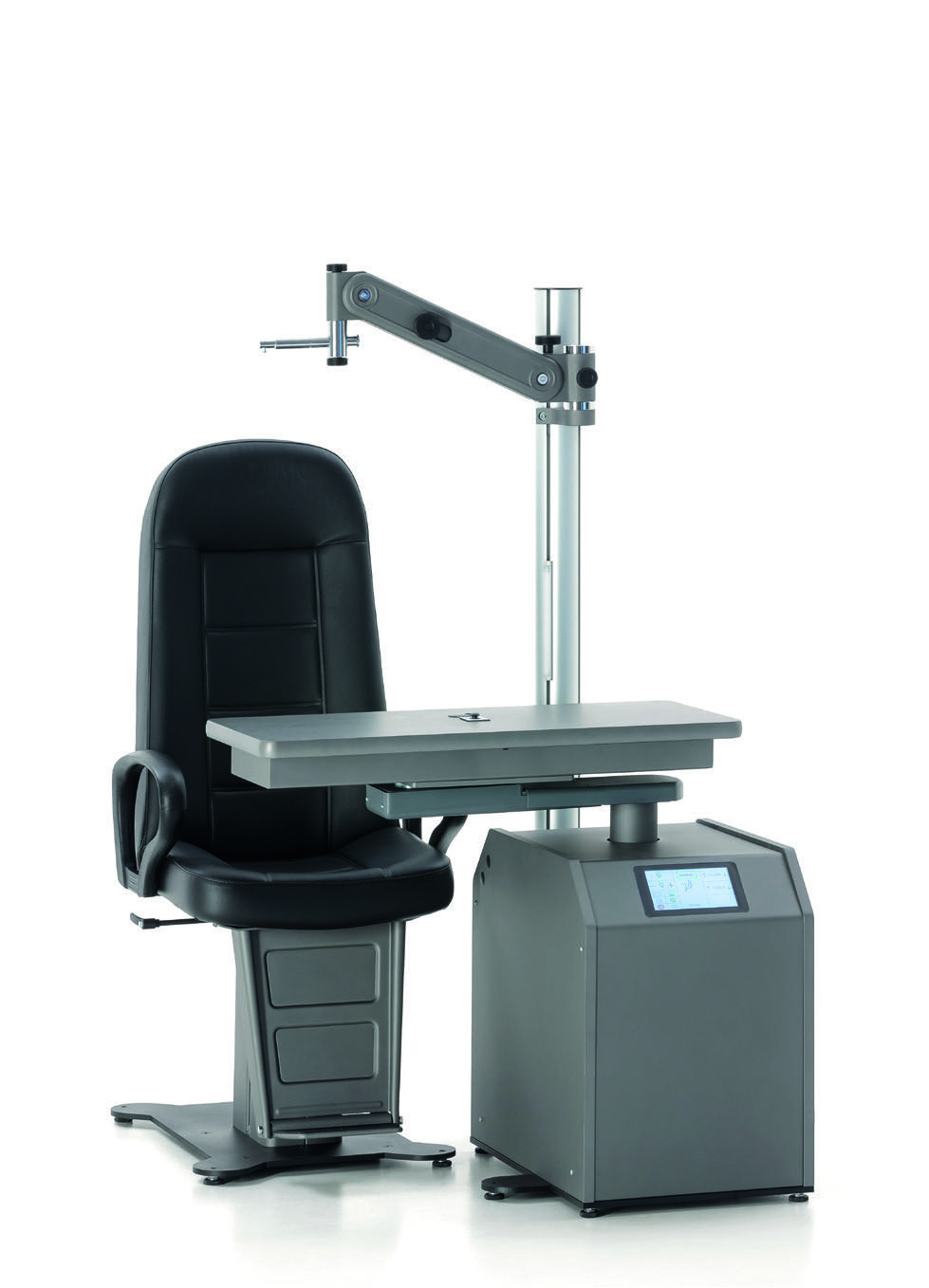
An ergonomic refraction station organising instruments, patient and practitioner.
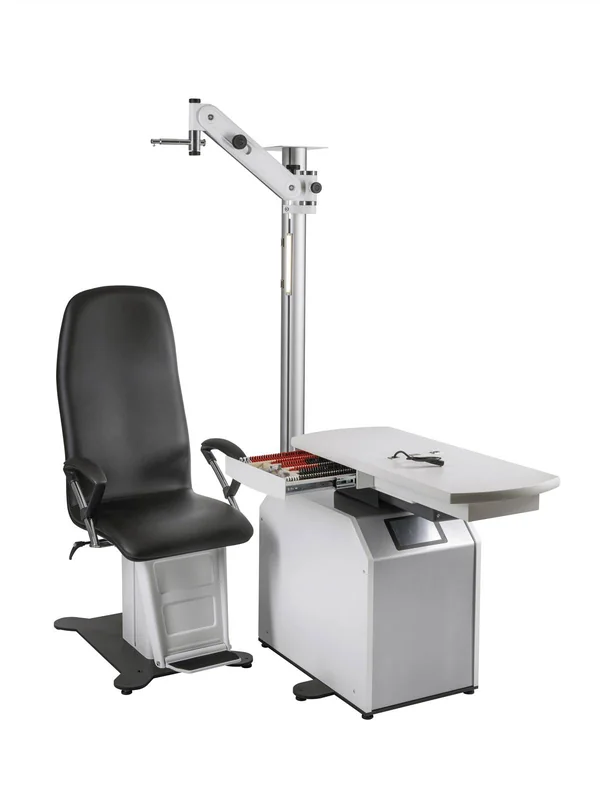
A layout designed around the consultation station.
Equipment has its place on a dedicated unit.
Available movements facilitate configuration adjustment.
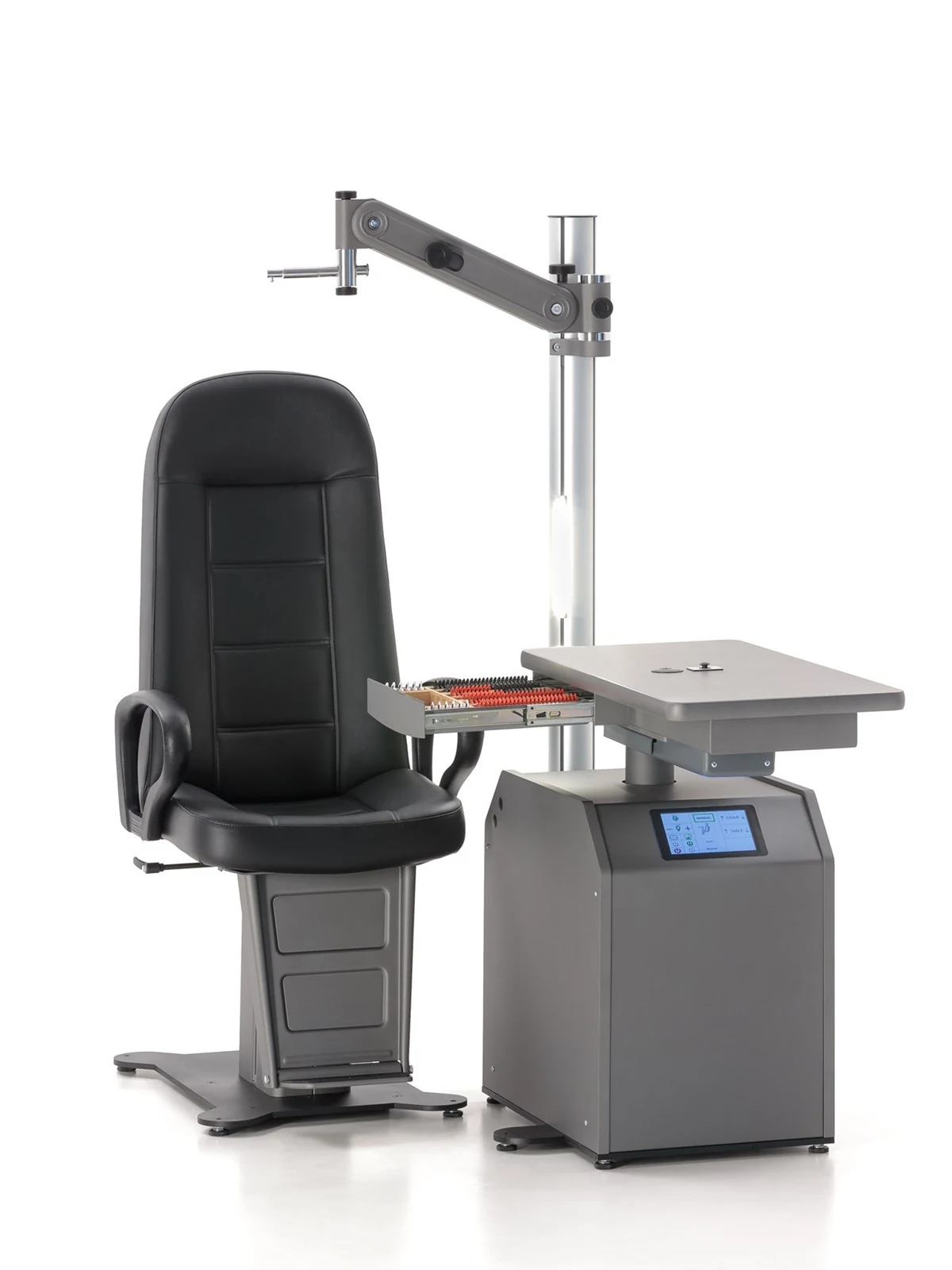
The manufacturer view shows the exact station configuration and access to instruments.
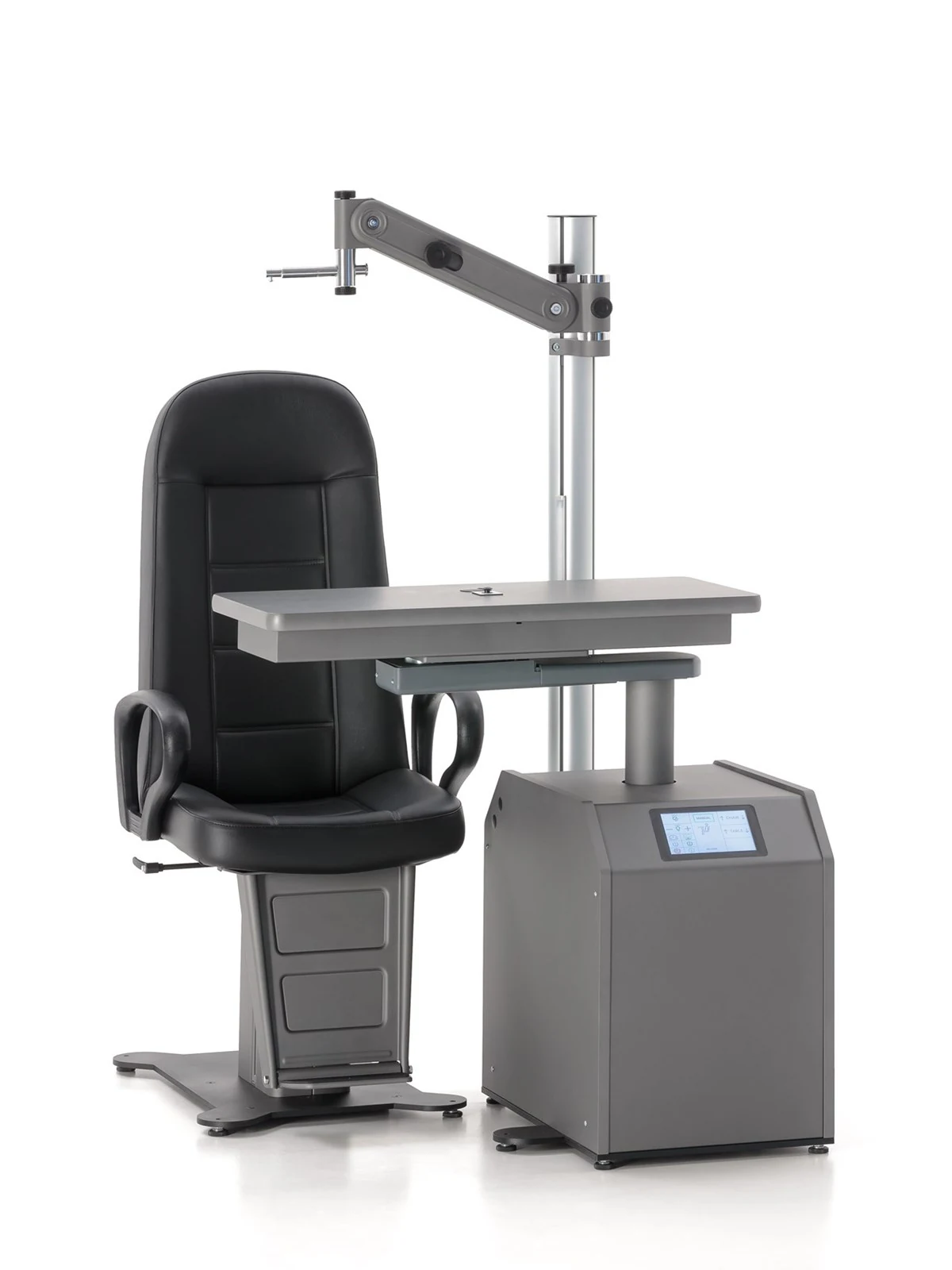
The documented worktop movement supports switching between instruments on Easyvisus MS33 — 2 instruments.
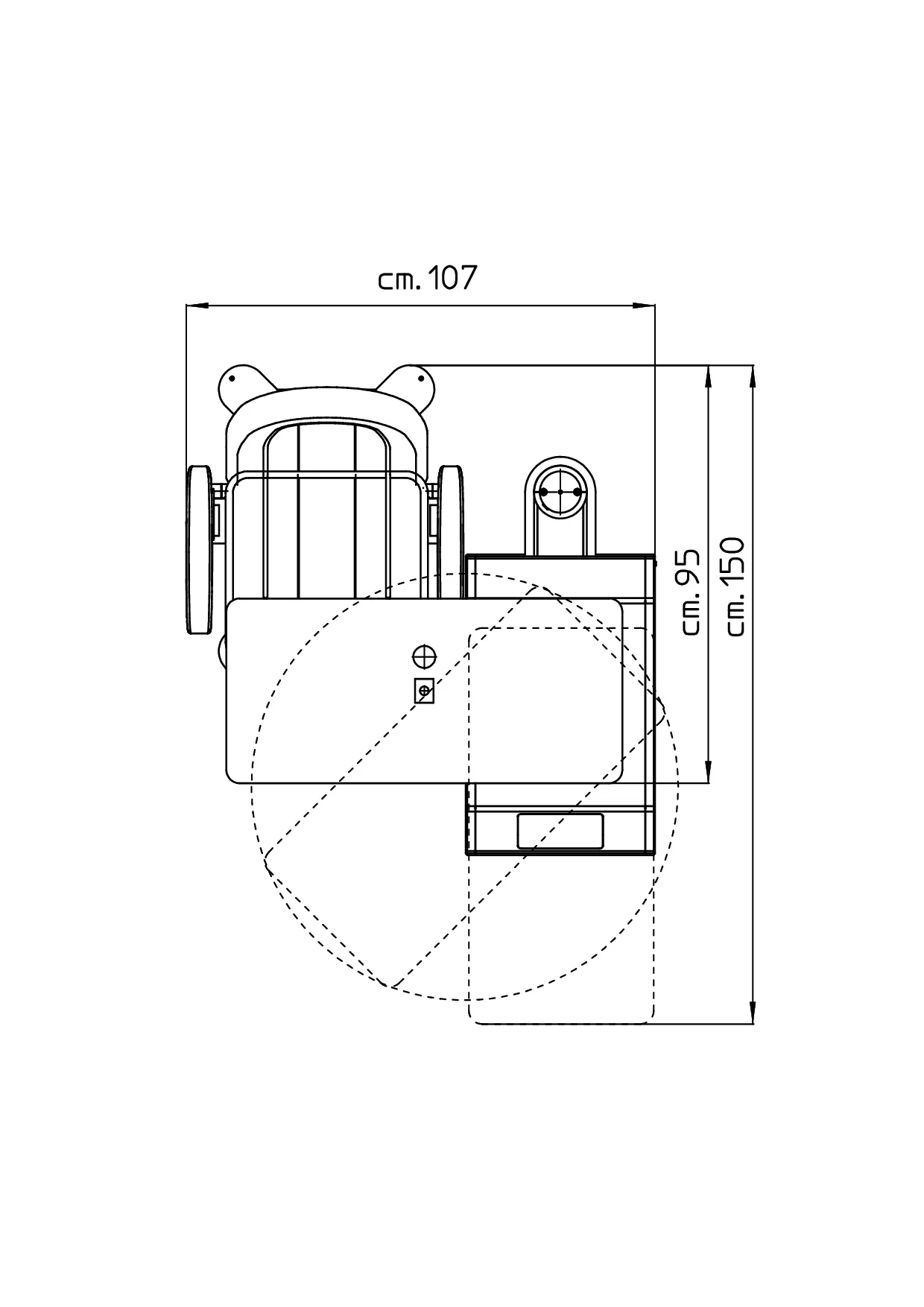
The official diagram documents the footprint and supports Easyvisus MS33 — 2 instruments installation planning.
The two-instrument Easyvisus MS33 offers rotating tables, with or without a drawer, or a manually sliding table. All documented configurations have electric table height adjustment, an LCD panel, joystick and electric PRIMA chair. This range must not be confused with electrically sliding RM64 versions; electric sliding or automatic positioning is not promised for this MS33.
400200 has a rotating table for two instruments. 400230 adds a drawer with a wooden tray for 148 trial lenses to the rotating table. 400250 uses manual sliding. Vertical adjustment is electric for all three references; this does not make sliding electric. Instruments and the lens set are not assumed to be supplied by the stated capacity.
The LCD panel supports a custom logo. The joystick controls chair and table up/down movement and locking. The manufacturer documents electromagnetic locking of the rotating table and table arm. Electric height adjustment is distinct from the rotation or sliding mode selected for the reference.
The standard PRIMA has electric height adjustment and black skai upholstery without a footrest. A tip-up footrest, other coverings and replacement with another chair model are documented options. Chair versions must be confirmed in the ASEM quotation. Original photographs may show a footrest, phoropter arm or other optional accessories; visibility does not establish inclusion. Illustrated instruments and accessories must be identified separately.
The aluminium pole has dimmable ambient LED lighting, an LED reading light and a chart projector support plate. The main unit includes power supply for the slit-lamp transformer. The painted steel base has adjustable feet. Additional instrument power supplies are listed as accessories and are not assumed to be included automatically. No complete-unit input voltage or frequency is extrapolated.
Left-handed 400200S, 400230S and 400250S versions are optional. Drawings distinguish rotating from sliding tables, and their different positions are not turned into a single overall dimension. No 236-lens desk tray is added by analogy with the RM64. Weight, frequency and a numerical height range remain undocumented on these pages.
Easyvisus — catalogue fabricant 2025, anglais (PDF · 68 pages)
The setup remains coherent.
Equipment is organised in one place.
The station adapts to the examination.
The team works in a structured space.
A recommendation adapted to your requirements.
Commissioning and onboarding with the team.
Local technical support when you need it.
Ongoing support to operate the solution.
ASEM application
References, quotes, invoices and service in your pocket.
A first in Algeria


An ergonomic refraction station organising instruments, patient and practitioner.
A layout designed around the consultation station.
Equipment has its place on a dedicated unit.
Available movements facilitate configuration adjustment.
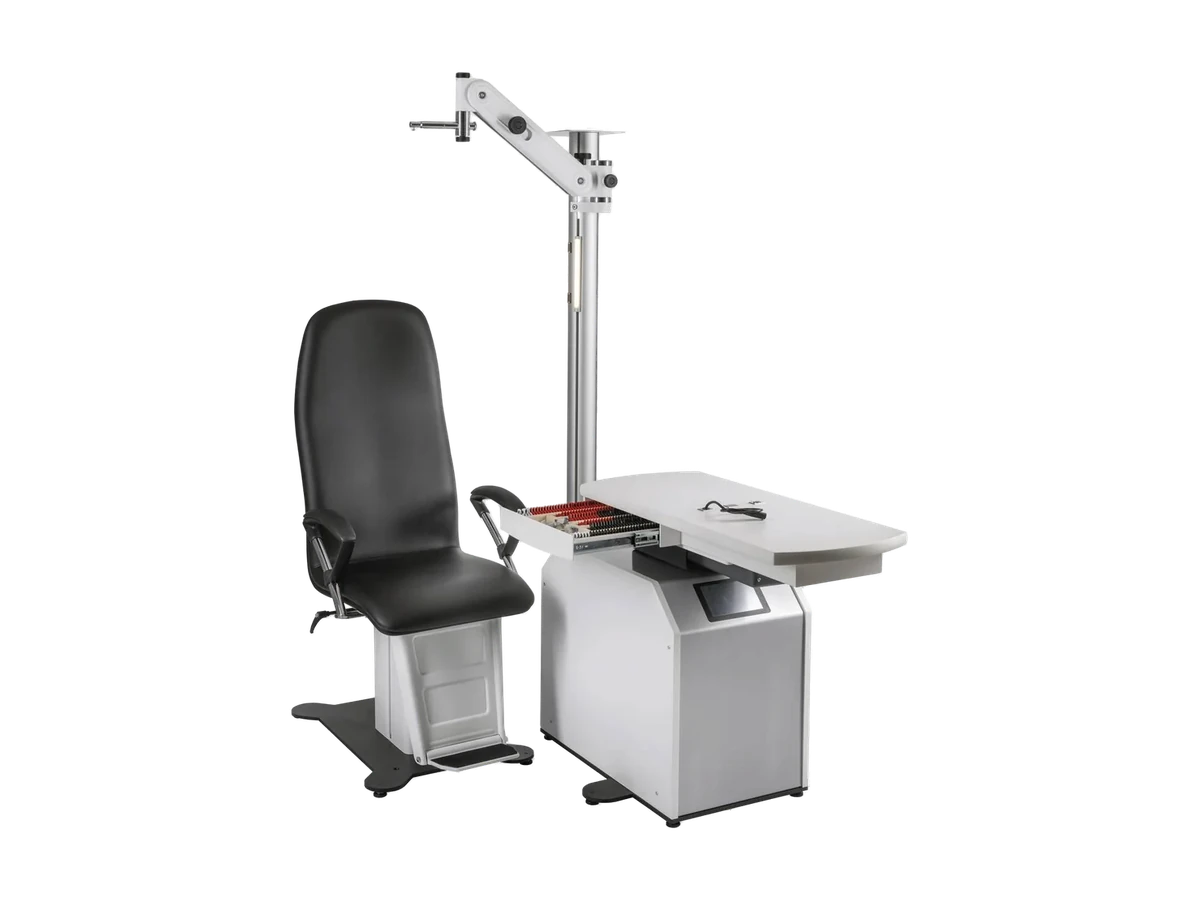
The manufacturer view shows the exact station configuration and access to instruments.
The documented worktop movement supports switching between instruments on Easyvisus MS33 — 2 instruments.
The official diagram documents the footprint and supports Easyvisus MS33 — 2 instruments installation planning.
The two-instrument Easyvisus MS33 offers rotating tables, with or without a drawer, or a manually sliding table. All documented configurations have electric table height adjustment, an LCD panel, joystick and electric PRIMA chair. This range must not be confused with electrically sliding RM64 versions; electric sliding or automatic positioning is not promised for this MS33.
400200 has a rotating table for two instruments. 400230 adds a drawer with a wooden tray for 148 trial lenses to the rotating table. 400250 uses manual sliding. Vertical adjustment is electric for all three references; this does not make sliding electric. Instruments and the lens set are not assumed to be supplied by the stated capacity.
The LCD panel supports a custom logo. The joystick controls chair and table up/down movement and locking. The manufacturer documents electromagnetic locking of the rotating table and table arm. Electric height adjustment is distinct from the rotation or sliding mode selected for the reference.
The standard PRIMA has electric height adjustment and black skai upholstery without a footrest. A tip-up footrest, other coverings and replacement with another chair model are documented options. Chair versions must be confirmed in the ASEM quotation. Original photographs may show a footrest, phoropter arm or other optional accessories; visibility does not establish inclusion. Illustrated instruments and accessories must be identified separately.
The aluminium pole has dimmable ambient LED lighting, an LED reading light and a chart projector support plate. The main unit includes power supply for the slit-lamp transformer. The painted steel base has adjustable feet. Additional instrument power supplies are listed as accessories and are not assumed to be included automatically. No complete-unit input voltage or frequency is extrapolated.
Left-handed 400200S, 400230S and 400250S versions are optional. Drawings distinguish rotating from sliding tables, and their different positions are not turned into a single overall dimension. No 236-lens desk tray is added by analogy with the RM64. Weight, frequency and a numerical height range remain undocumented on these pages.
Easyvisus — catalogue fabricant 2025, anglais (PDF · 68 pages)
The setup remains coherent.
Equipment is organised in one place.
The station adapts to the examination.
The team works in a structured space.
A recommendation adapted to your organisation and requirements.
Commissioning and onboarding with ASEM teams.
Local technical support after installation.
Ongoing support to get lasting value from the solution.
ASEM application
Explore more references, request quotes, review invoices and contact after-sales service directly from your phone.
A first in Algeria for healthcare professionals.Catalogue, quotes, invoices and after-sales requests combined in the ASEM app.
