Surgical field
Visualisation designed for the posterior segment.
Wide-field visualisation to support vitreoretinal procedures.
Visualisation designed for the posterior segment.
An optical configuration designed to extend the observed area.
The system complements the existing surgical environment.
The non-contact system provides a wide-angle view for retinal surgery.
The documented configuration supports observation of extended retinal areas.
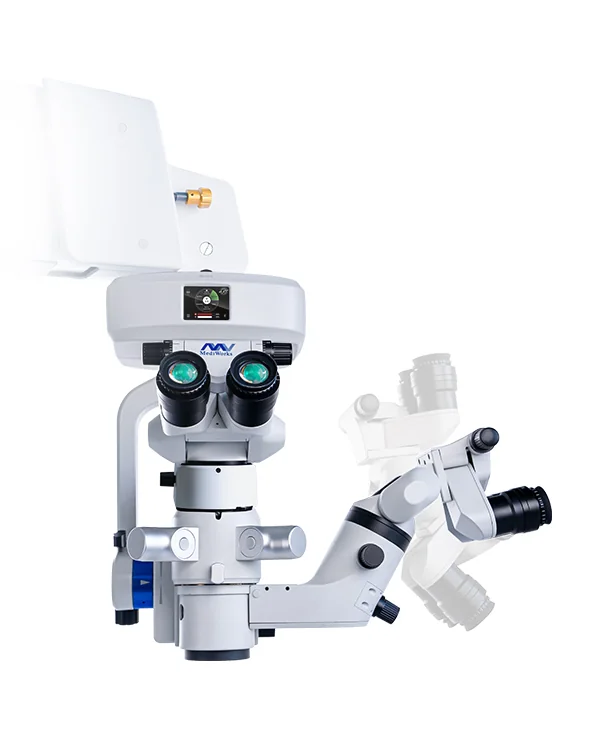
The system integrates with the microscope to keep the surgical field unobstructed.
The posterior segment remains visible.
The system complements the microscope.
The configuration supports the procedure.
ASEM supports commissioning.
A recommendation adapted to your requirements.
Commissioning and onboarding with the team.
Local technical support when you need it.
Ongoing support to operate the solution.
ASEM application
References, quotes, invoices and service in your pocket.
A first in Algeria
Discover the ASEM app Request a quote in the app
Wide-field visualisation to support vitreoretinal procedures.
Visualisation designed for the posterior segment.
An optical configuration designed to extend the observed area.
The system complements the existing surgical environment.
The non-contact system provides a wide-angle view for retinal surgery.
The documented configuration supports observation of extended retinal areas.
The system integrates with the microscope to keep the surgical field unobstructed.
The posterior segment remains visible.
The system complements the microscope.
The configuration supports the procedure.
ASEM supports commissioning.
A recommendation adapted to your organisation and requirements.
Commissioning and onboarding with ASEM teams.
Local technical support after installation.
Ongoing support to get lasting value from the solution.
ASEM application
Explore more references, request quotes, review invoices and contact after-sales service directly from your phone.
A first in Algeria for healthcare professionals.Catalogue, quotes, invoices and after-sales requests combined in the ASEM app.
Request a quote in the app Discover the ASEM app