OPHTHALMIC TECHNOLOGIES

Imaging and viewing modules

Discover documented Imaging and viewing modules references in the ASEM catalogue, their models, sources and ASEM support in Algeria.

Explore supplementary modules and their documented configurations.

Documented references: 2

Understanding this equipment family

Imaging and visualisation modules complement an identified instrument; they do not establish universal compatibility. Before integrating a module into an existing station, compare its documentation with that of the host instrument and the actual proposed configuration.

Questions to clarify before choosing

  • Which host instrument and version are explicitly compatible?
  • Which acquisition, display and connection components are described in the source?
  • Are the required software and accessories identified in the offer?

Configuration and documentary limits

An accessory listed in a catalogue is not assumed compatible or supplied with every instrument. No additional clinical function is inferred from its membership of this family.

Documented differences between models

Imaging Module 910 and EIBOS 2 are distinct references with their own sources. The family record establishes neither compatibility with every instrument nor functional equivalence; these points require the documentation for each assembly.

The functions below are attached to a specific model and source. A function absent from this record is not declared unavailable: it remains unconfirmed here. Options and qualifications in the product records retain their meaning.

Documents used for this guide

Documented models

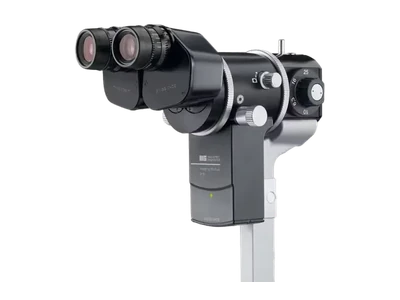
Imaging Module 910 — Haag-Streit

Haag-Streit

Imaging Module 910

Specialised clinical system designed to complement ophthalmic examination, analysis or documentation.

Catalogue qualifications
  • Instructions 1500.7221019.04030, third edition 2024-04, page 18 visually checked. The filename contains 04020 but the downloaded document is 04030: the edition is evidenced by its contents, not guessed from the URL. Former brochure link HS_IM_910_600_fl_xxx_02110_web.pdf unavailable, HTTP 404, and not offered. Dimensions 173 × 127 × 82 mm apply to CM04 only; the set weight of 4.5 kg includes packaging and is never treated as a net weight. 4K monitor limited to 30 frames/s. 3D requires its configuration/licence; no universal remote-consultation capability is promised. Native manufacturer media, 1270 × 1270; historical profiles unchanged, no artificial profile created.
View product

Sources and verification

EIBOS 2 — Haag-Streit

Haag-Streit

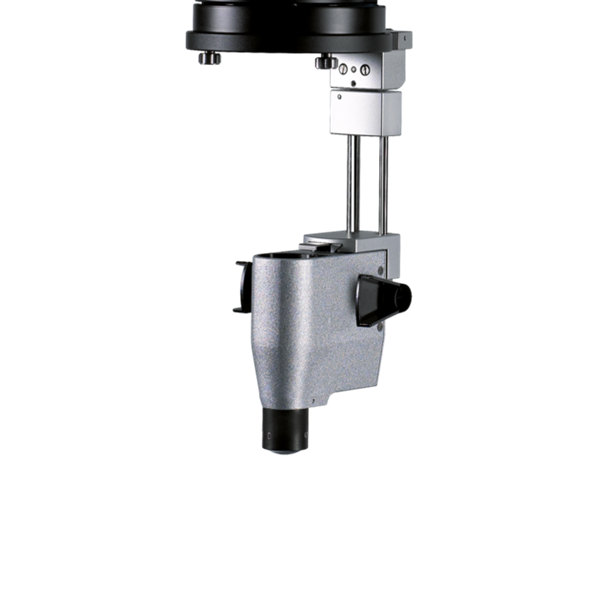
EIBOS 2

EIBOS 2 is Haag-Streit’s wide-angle fundus viewing system for a compatible operating microscope. Focusing and the optical inverter are integrated into the accessory; it is neither a slit lamp nor a stand-alone microscope. Lens selection, focusing controls and sterile configuration must match the procedure and equipment actually proposed by ASEM. The availability of reusable or disposable lenses is not a promise of quantified infection-risk or cost reduction.

Catalogue qualifications
  • Official EIBOS 2 page consulted on 06/10/2026, 90 D and SPXL 132 D lenses / 124° angle. METIS brochure 1511-7221092-0202, second edition 2025-12, presents EIBOS 2 as an option; it is labelled METIS, not presented as standalone EIBOS instructions. ID 118 and historical key asem-product-118 retained. Block 565 is enriched while preserving its theme and order; unquantified infection-related / cost benefits do not become guarantees. Native manufacturer photograph, 1270 × 1270, with no generated media. No weight, power supply or dimensions of the host microscope transferred to the module.
View product

Sources and verification

These dates refer to reviews retained in the catalogue. They do not guarantee current availability or clinical validation.

Prepare your equipment project with ASEM in Algeria

Discuss your organisation, instruments and required documentation with ASEM. The Contact and After-sales pages help clarify the installation, familiarisation and technical support applicable to your configuration, without assuming current stock or included options.

Explore after-sales support