
Imaging Module 910
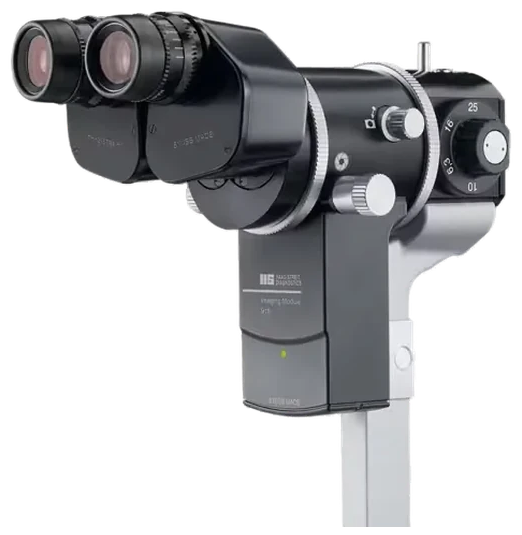
Imaging module for a compatible slit lamp; configuration to be confirmed with ASEM.
Automatic exposure and aperture controls assist capture.
Key advantages
The documented strengths of Imaging Module 910, at a glance.
Assisted image capture
Automatic exposure and aperture controls assist capture.
Compatible slit lamp required
Accessible camera controls
Camera and illumination controls placed by the joystick.
Two integration modes
Standalone operation or integration within EyeSuite.
Capture a faithful image
The module documents slit-lamp observations with a dedicated imaging chain.
Capture at the right moment
Capture mode keeps acquisition controls within the examination workflow.
Review and compare
Review mode organises images for quick access to documented observations.
Capabilities in practice
A closer look at the functions and technology of Imaging Module 910.
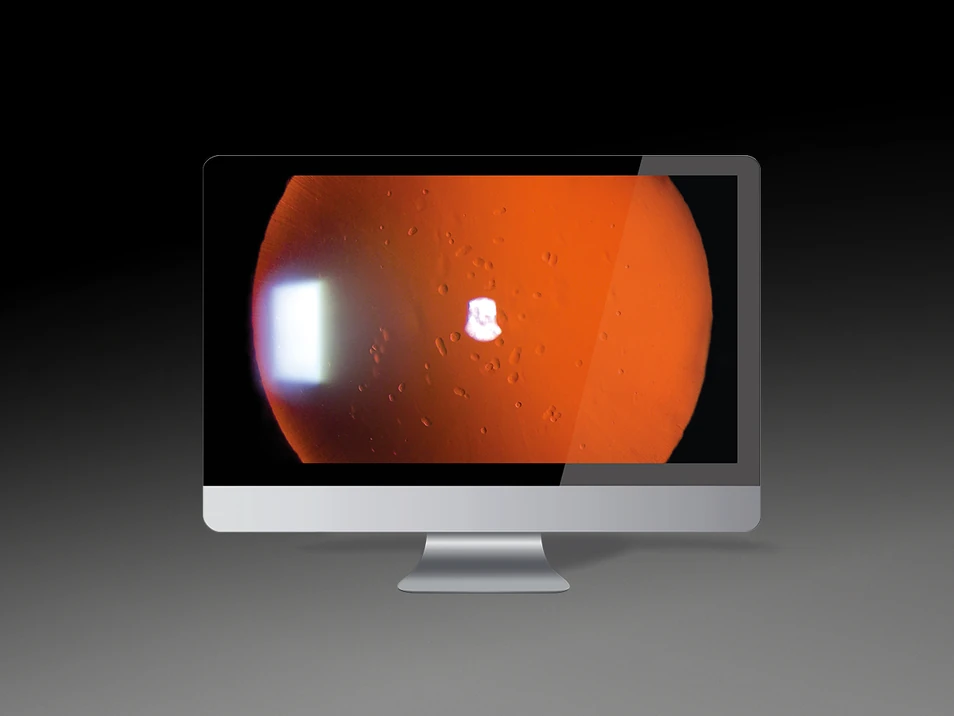
Manufacturer illustration: the configuration shown may differ from the delivered configuration.
Document the BQ 900 view
The module shares the BQ 900 optical path to produce examination photos and videos. It is an imaging accessory, not a standalone slit lamp.
View sourceAssist exposure and selection
Automatic exposure, aperture control and image selection assist capture. The clinician must still assess image quality.
View sourceDesigned for a smoother workflow
Documenting examination without replacing the slit lamp
The module integrates with a compatible BQ 900 and shares the microscope view with the imaging-chain display. The instructions identify CM04 camera module, RM03 control and CB01 box. Compatible LED illumination is an installation prerequisite to verify. The manufacturer photograph shows the module within its optical environment; visible slit-lamp parts do not mean a complete slit lamp is supplied with this accessory.
Connector Box and image organisation
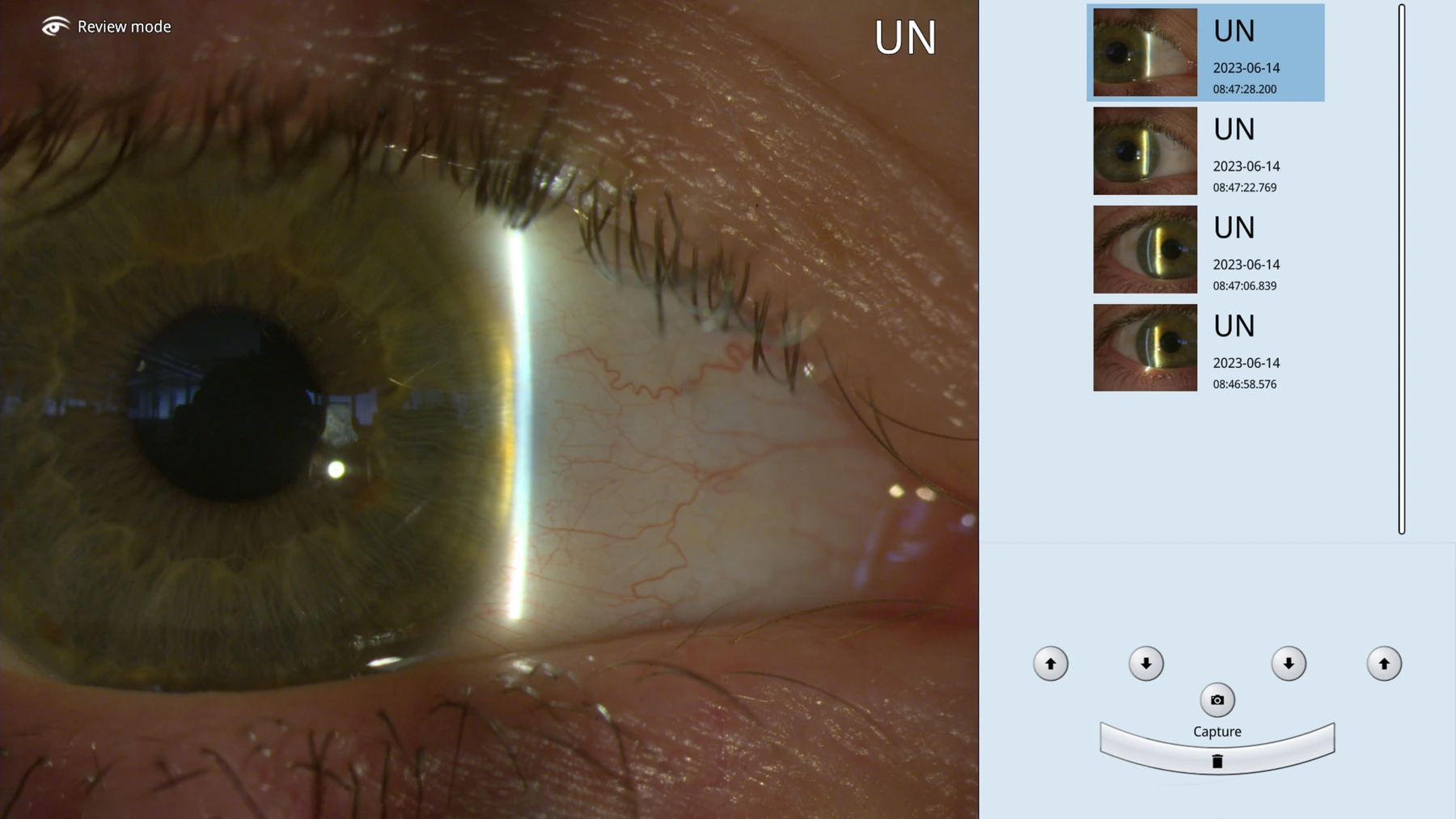
CB01 storage: 256 GB CB01 interfaces: HDMI / DisplayPort / LAN Minimum EyeSuite network: 1000BASE-T (1 Gbit/s) Standalone capture displays the observed region and most recent image. Review mode organises captures chronologically. EyeSuite Imaging integration, patient-record connections and 3D configuration depend on the selected system and licences. Series capabilities do not mean all functions are enabled or available in every country.
Capture without leaving the joystick
RM03 groups capture and illumination controls in front of the joystick. The optical-path selector can return 100%of light to the eyepieces.
Move from capture to review
Capture mode shows the observed area and latest image. Review mode browses session images in chronological order.
Manufacturer illustration: the configuration shown may differ from the delivered configuration.
Product gallery
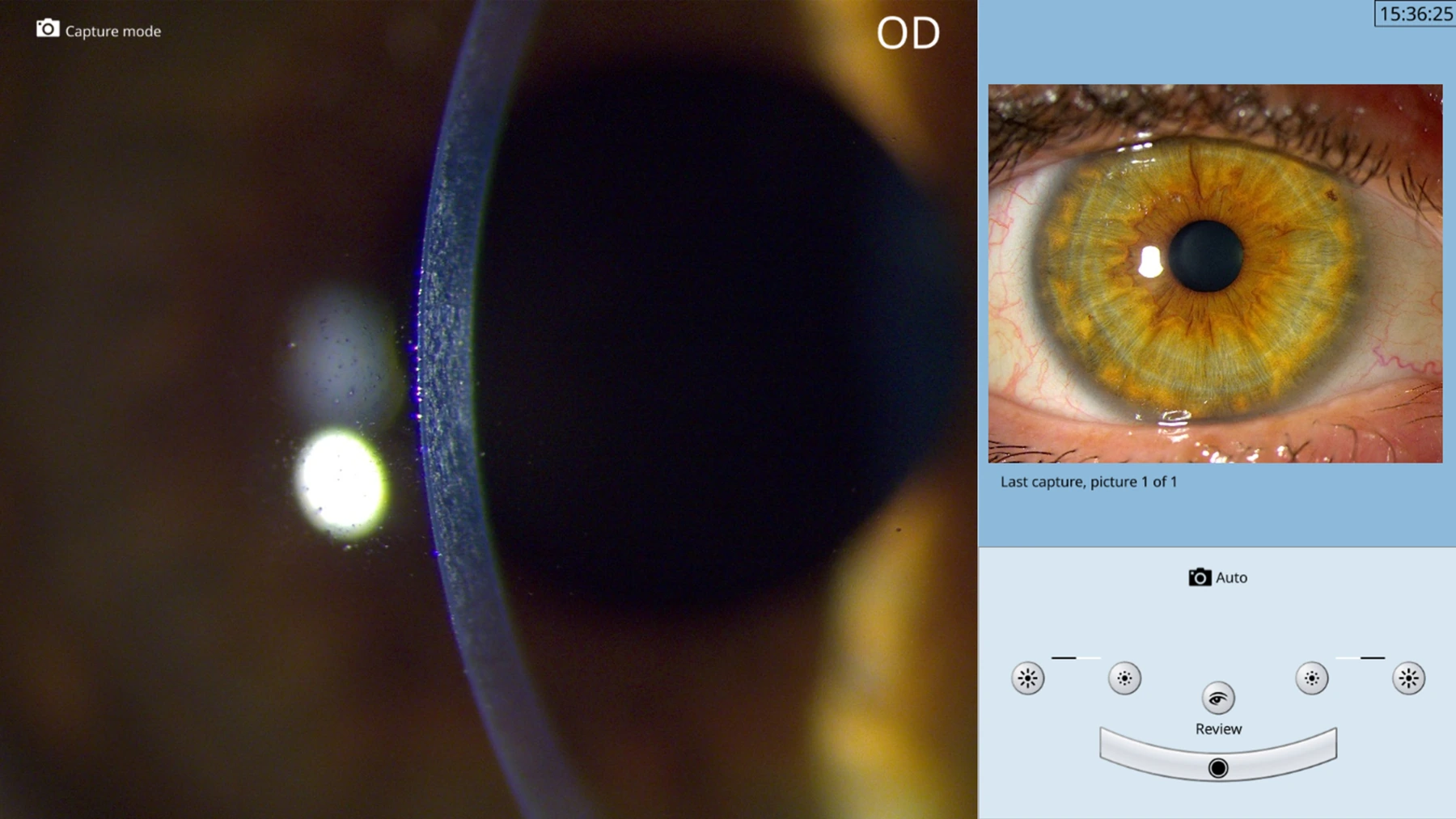
Manufacturer illustration: the configuration shown may differ from the delivered configuration.
Designed for daily practice
Explore the documented features and practical configuration of Imaging Module 910.
Choose standalone or EyeSuite
CB01 displays the stream on a monitor without EyeSuite. EyeSuite Imaging and 3D processing are separate optional activations.
Without the 3D licence, processing remains 2D; confirm the offered licences.
Camera and acquisition: documented data
Camera interface: CoaXPress CXP Frame rate: 30 fps Photo format: JPG Video format: MP4 Standalone operation supports FHD 1920 × 1080, QHD 2560 × 1440 and UHD 3840 × 2160 monitors. 4K display is limited to 30 fps. These values describe compatible display resolutions, not the supply of a monitor. The monocular configuration uses the right beam; a separate stereo configuration uses both left and right beams.
Installation: module dimensions, not slit-lamp dimensions
CM04 camera dimensions (L × W × H): 173 × 127 × 82 mm Mains supply: 100–240 V AC Frequency: 50–60 Hz The instructions give 4.5 kg for the packaged IM 910 set, not net module or slit-lamp weight. Packaging dimensions are 380 × 270 × 130 mm, not the installed optical footprint. Camera supply is 24 V DC / 420 mA; CB01 has its own supply. Installation and compatibility must be verified by trained personnel with ASEM.
Identify the compatible system
The instructions describe CM04, RM03 and CB01 for BQ 900 with suitable LED illumination. Another lamp’s or generation’s module is not assumed interchangeable.
Technical information
Technical specifications & documentation
Product information, specifications and available documentation in one place.
Product specifications overview
Key documented information for this exact model.
- Brand
- Haag-Streit
- Model
- Imaging Module 910
- Technology
- Specialised clinical system
- Clinical use
- Imaging and OCT · Diagnostics and biometry
Downloads & resources
Available product sheets and public manufacturer resources.
Sources and documentation
- https://haag-streit.com/en/products/categories/general-diagnostics/slit-lamp-imaging/imaging-module-910_Verified on 2026-10-06
- https://haag-streit.com/2%20Products/General%20diagnostics/Slit%20lamp%20imaging/IM%20910/Instructions%20for%20use/English/1500_7221019_04020_IFU_IM_910_01_en_web.pdfVerified on 2026-10-06
- https://haag-streit.com/en/products/categories/general-diagnostics/slit-lamp-imaging/imaging-module-910_Verified on 2026-10-17
- https://haag-streit.com/en/products/categories/general-diagnostics/slit-lamp-imaging/imaging-module-910_Verified on 2026-08-30
- https://haag-streit.com/2%20Products/General%20diagnostics/Slit%20lamp%20imaging/IM%20910/Instructions%20for%20use/English/1500_7221019_04020_IFU_IM_910_01_en_web.pdfVerified on 2026-10-18
- https://haag-streit.com/en/products/categories/general-diagnostics/slit-lamp-imaging/imaging-module-910_Verified on 2026-10-18
- https://haag-streit.com/2%20Products/General%20diagnostics/Slit%20lamp%20imaging/IM%20910/Instructions%20for%20use/English/1500_7221019_04020_IFU_IM_910_01_en_web.pdfVerified on 2026-10-18
- https://haag-streit.com/2%20Products/General%20diagnostics/Slit%20lamp%20imaging/IM%20910/Instructions%20for%20use/English/1500_7221019_04020_IFU_IM_910_01_en_web.pdfVerified on 2026-10-18
- https://haag-streit.com/2%20Products/General%20diagnostics/Slit%20lamp%20imaging/IM%20910/Instructions%20for%20use/English/1500_7221019_04020_IFU_IM_910_01_en_web.pdfVerified on 2026-10-18
- https://haag-streit.com/2%20Products/General%20diagnostics/Slit%20lamp%20imaging/IM%20910/Instructions%20for%20use/English/1500_7221019_04020_IFU_IM_910_01_en_web.pdfVerified on 2026-10-18
- https://haag-streit.com/2%20Products/General%20diagnostics/Slit%20lamp%20imaging/IM%20910/Instructions%20for%20use/English/1500_7221019_04020_IFU_IM_910_01_en_web.pdfVerified on 2026-10-18
Frequently asked questions
Your questions about Imaging Module 910
Clear answers based on the available product information.

Where can I find the documentation for Imaging Module 910?
Manufacturer documentation (PDF) — https://asem-medical.com/storage/catalogue-enrichment/haag-streit-remaining-20261006/im910-ifu-original.pdf
View sourceWhich slit lamp is IM910 intended for?
The instructions specify exclusive design for BQ 900 with the required LED illumination.
View sourceIs 3D processing active without a licence?
No. The instructions specify 2D processing without a licence and stereo 3D with the corresponding optional activation.
View sourceCan images be displayed without EyeSuite?
Yes. Connector BoxCB01 can show a live stream on a connected monitor without EyeSuite.
View sourceASEM support
More than a device, a long-term partnership
Discuss your project with ASEM: equipment selection, installation, training and technical support.
Installation
Discuss the installation requirements and configuration with our technical team.
Learn more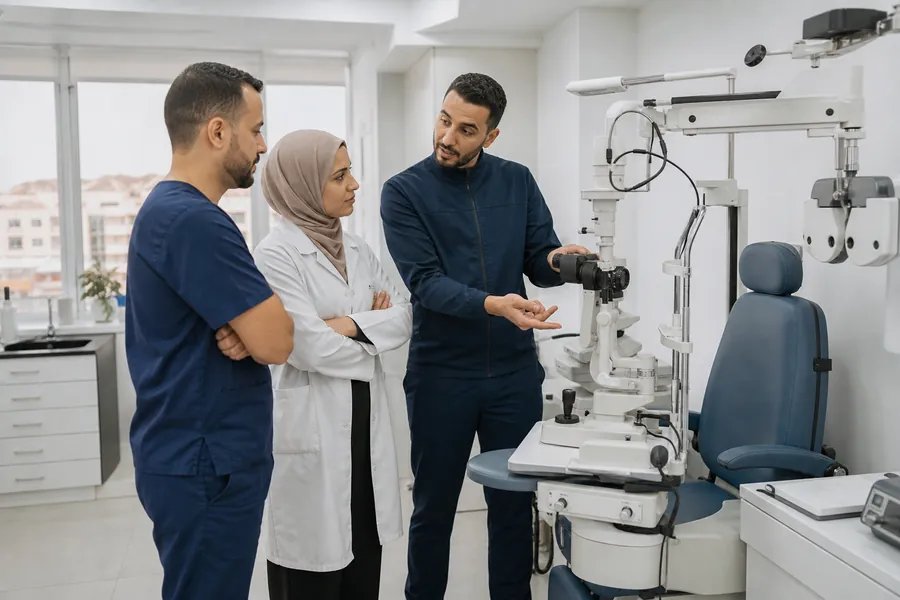

After-sales service
Contact ASEM for technical assistance and the support appropriate to your equipment.
Learn more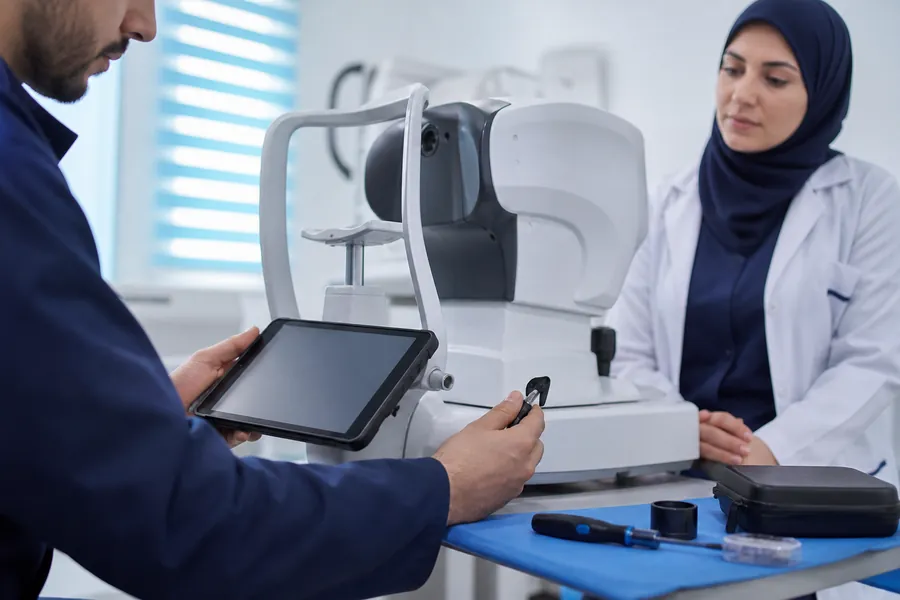

Clinical applications
Explore the ASEM clinical catalogue
Browse related areas of the ASEM catalogue. These links do not extend the indications of this device.
Explore all products