
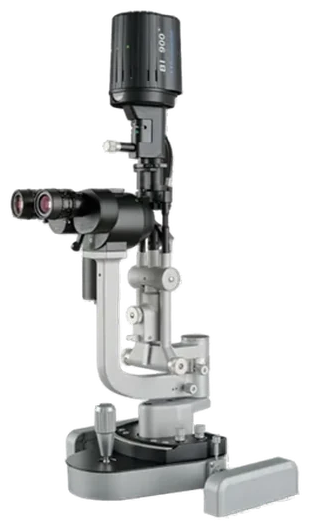
BQ 900
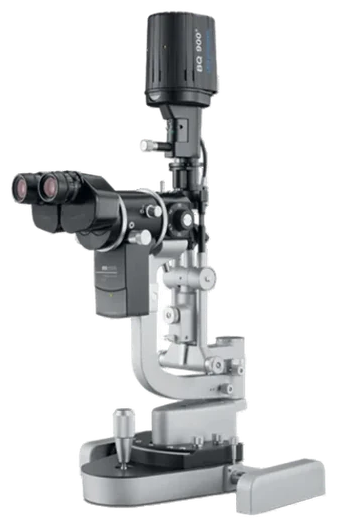
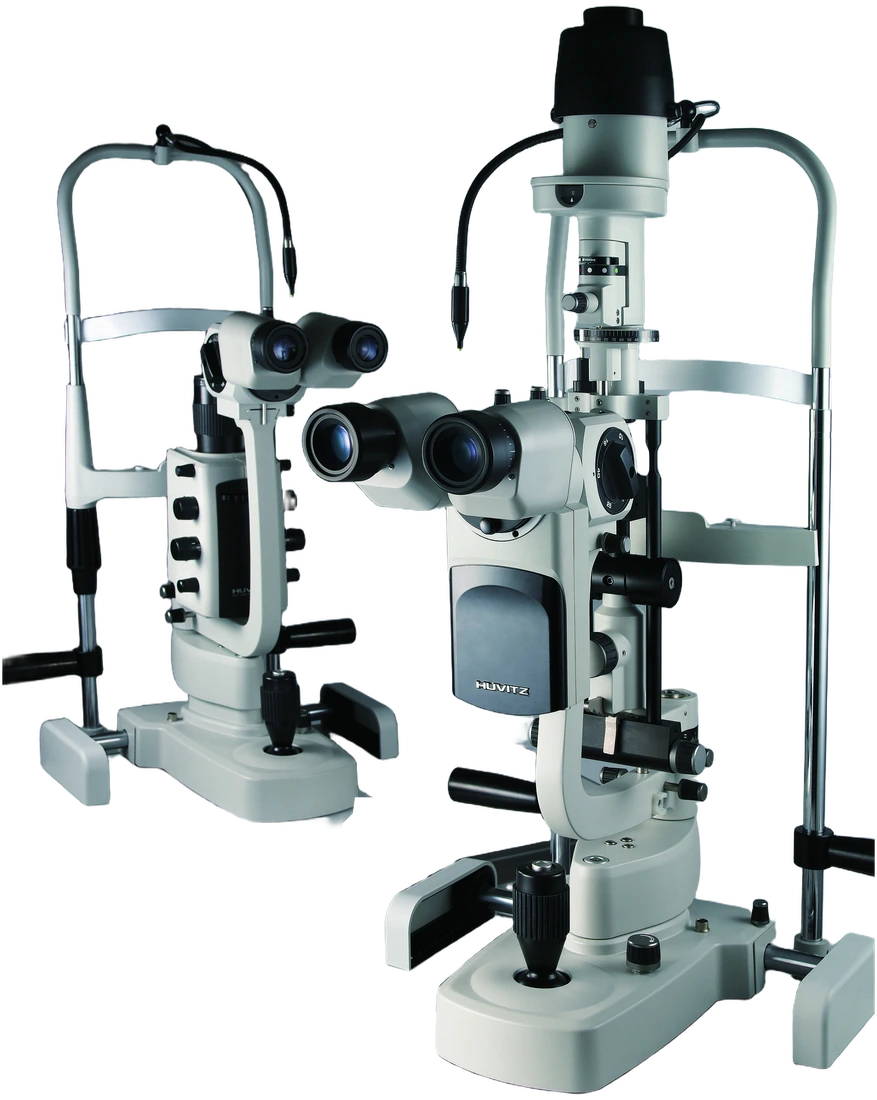
Slit lamp with a Galilean microscope, five magnifications and LED illumination.
Five magnification steps ranging from 6.3× to 40×.
Key advantages
The documented strengths of BQ 900, at a glance.
Galilean microscope optics
Five magnification steps ranging from 6.3× to 40×.
LED slit illumination
LED illumination for observation at the slit lamp.
LED version
Slit-lamp imaging options
Image capture using an IM 600 or IM 910 module.
Optional imaging module
Observe fine detail
The BQ 900 optical chain supports detailed anterior-segment observation.
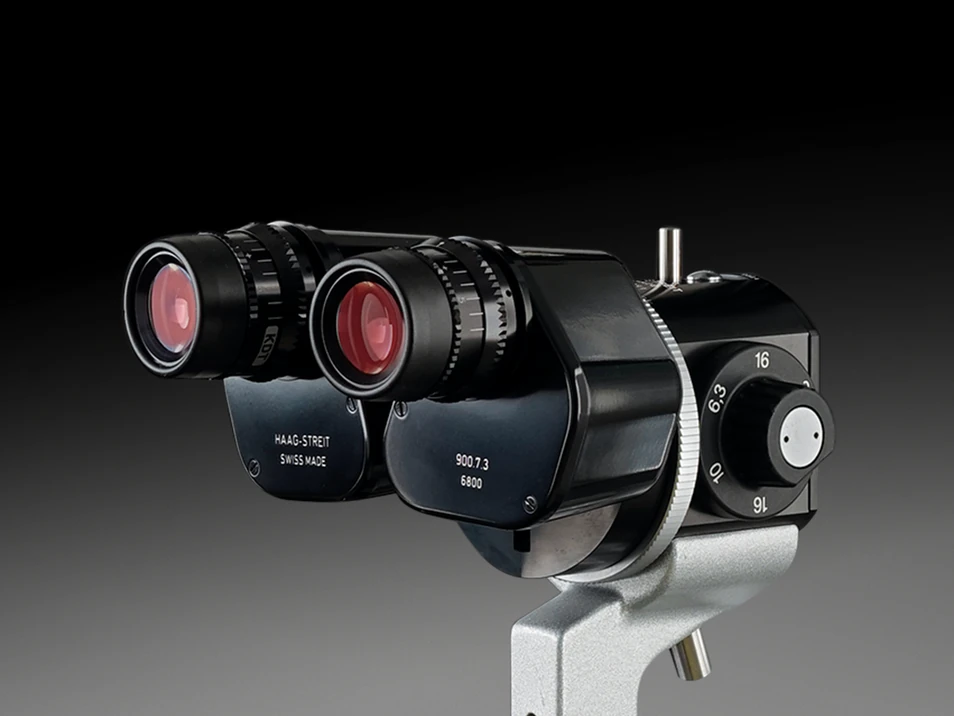
Adjust precisely
Controls and joystick keep useful adjustments within reach.
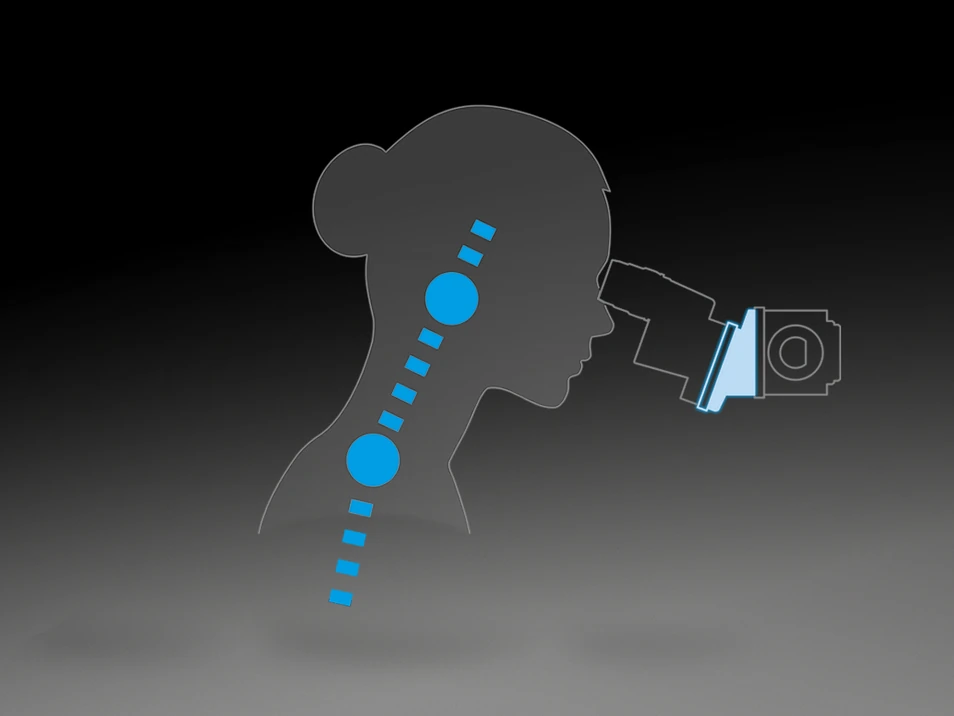
Manufacturer illustration: the configuration shown may differ from the delivered configuration.
Add imaging
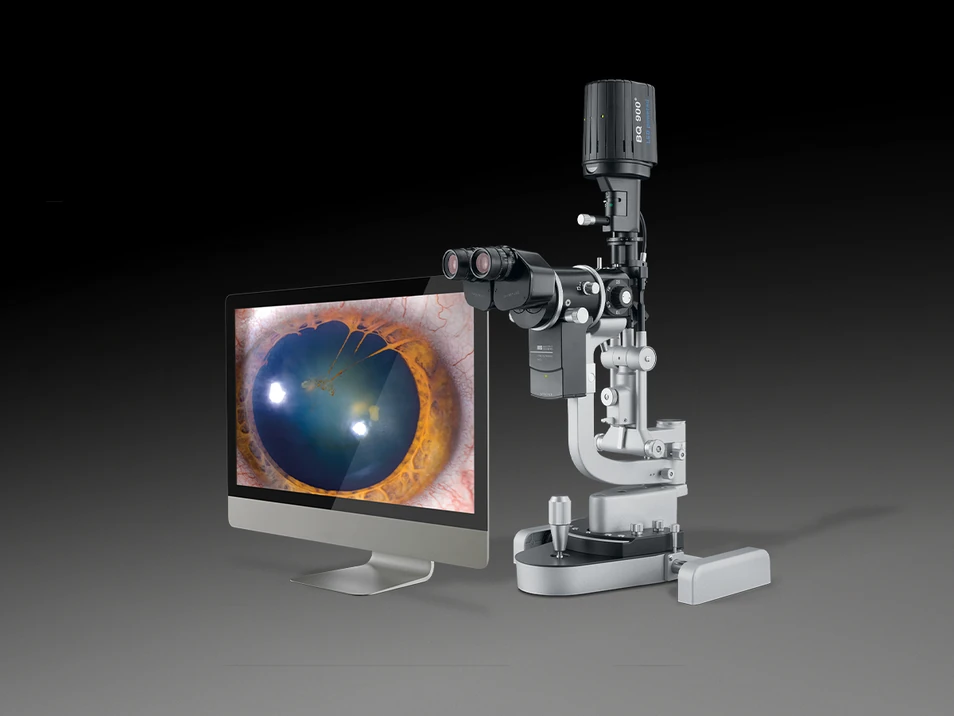
The documented configuration supports Haag-Streit imaging modules for retaining observations.
Capabilities in practice
A closer look at the functions and technology of BQ 900.
Observe at five magnifications
The Galilean microscope provides 6.3×,10×,16×,25× and 40×. Stepped changes move from an overview to detailed observation.
View sourceCombine microscopy and illumination
The system combines a stereo microscope with orientable slit illumination. Slit and filter settings structure observation of ocular tissues.
View sourceDesigned for a smoother workflow
Add image documentation
The manufacturer lists IM600 and IM910 as imaging solutions for BQ 900. Their presence and functions depend on the installed module.
Imaging module optional; no 3D licence is assumed included.
Plan compatible tonometry
A compatible Goldmann AT 900 tonometer can complement the lamp. Its variant and mount must match the selected configuration.
Identify the accessory separately; do not equate it with unidentified catalogue reference 79.
Designed for daily practice
Explore the documented features and practical configuration of BQ 900.
Adapt the viewing posture
An inclined-eyepiece adapter is available as an option. It changes the viewing angle without adding an imaging function to the lamp.
Optional adapter.
Manufacturer illustration: the configuration shown may differ from the delivered configuration.
More product details
BQ 900: A reference for ophthalmologists
The BQ 900 slit lamp offers LED illumination, adjustable slit width (0-14 mm), adjustable length (1-14 mm) and varied illumination fields (0.2 to 8 mm). Its microscope has magnifications from 6.3× to 40×, an adjustable 12.5× eyepiece (+8 to –8 dioptres) and a 13° stereoscopic angle for precise, comfortable examinations. Smooth three-dimensional control and precise positioning provide ergonomics and performance in a compact design (332×305×700 mm) suited to demanding ophthalmologists.
Inclined eyepiece adapter
The inclined eyepiece adapter provides an ergonomic microscope viewing position, adjusting the viewing angle to 20 degrees. This supports comfortable posture and reduces neck strain for less tiring work.
Inclined optics
Comfortable examinations with less fatigue, including during long working days.
10-year warranty
Haag-Streit's service division combines worldwide service with local support to maintain equipment life and performance. Repairs, scheduled maintenance and parts ordering help reduce breakdowns and downtime. Regularly trained service engineers support diagnostic, surgical and simulation equipment and EyeSuite software. A global network supports practitioners in delivering patient care.
Technical information
Technical specifications & documentation
Product information, specifications and available documentation in one place.
Product specifications overview
Key documented information for this exact model.
- Brand
- Haag-Streit
- Model
- BQ 900
- Technology
- Slit lamp
- Clinical use
- Diagnostics and biometry
Technical specifications
- Magnifications
- 6.3× · 10× · 16× · 25× · 40×Standard configuration; optional accessories excluded.
- Number of magnifications
- 5Standard configuration; optional accessories excluded.
- Slit width
- 14 mm
- Slit length
- 14 mm
- Microscope optics
- Galilean
- Filters
- Blue · Red-free green · Grey 10 %
- Illumination
- LED
- Adjustment ranges
- Longitudinal 100 mm; lateral 100 mm; vertical 30 mm
- Dimensions
- 305 × 332 × 700 mmLength × width × height; excluding packaging.
- Weight
- 12.7 kgWithout power supply, headrest or options.
Standard configuration; optional accessories excluded.
Length × width × height; excluding packaging.
Without power supply, headrest or options.
Downloads & resources
Available product sheets and public manufacturer resources.
No public manufacturer document has been verified for this model. Contact ASEM for the available documentation.
Sources and documentation
- https://de.haag-streit.com/2%20Products/General%20diagnostics/Slit%20lamps/BQ%20900/Instructions%20for%20use/English/1500_7220589_04220_IFU_BQ_900_01_en_web.pdfVerified on 2026-10-04
- https://us.haag-streit.com/products/categories/general-diagnostics/slit-lamps/bq-900Verified on 2026-10-04
- https://haag-streit.com/en/products/categories/general-diagnostics/slit-lamps/bq-900Verified on 2026-10-17
- https://de.haag-streit.com/2%20Products/General%20diagnostics/Slit%20lamps/BQ%20900/Instructions%20for%20use/English/1500_7220589_04220_IFU_BQ_900_01_en_web.pdfVerified on 2026-10-17
- https://www.haag-streit.com/en/products/categories/general-diagnostics/slit-lamps/bq-900Verified on 2026-08-30
- https://de.haag-streit.com/2%20Products/General%20diagnostics/Slit%20lamps/BQ%20900/Instructions%20for%20use/English/1500_7220589_04220_IFU_BQ_900_01_en_web.pdfVerified on 2026-10-18
- https://de.haag-streit.com/2%20Products/General%20diagnostics/Slit%20lamps/BQ%20900/Instructions%20for%20use/English/1500_7220589_04220_IFU_BQ_900_01_en_web.pdfVerified on 2026-10-18
- https://haag-streit.com/en/products/categories/general-diagnostics/slit-lamps/bq-900Verified on 2026-10-18
- https://haag-streit.com/en/products/categories/general-diagnostics/slit-lamps/bq-900Verified on 2026-10-18
- https://haag-streit.com/en/products/categories/general-diagnostics/slit-lamps/bq-900Verified on 2026-10-18
- https://haag-streit.com/en/products/categories/general-diagnostics/slit-lamps/bq-900Verified on 2026-10-18
- https://haag-streit.com/en/products/categories/general-diagnostics/slit-lamps/bq-900Verified on 2026-10-18
Frequently asked questions
Your questions about BQ 900
Clear answers based on the available product information.

What is the documented Magnifications of BQ 900?
6.3× · 10× · 16× · 25× · 40× — Standard configuration; optional accessories excluded.
View sourceWhat is the documented Number of magnifications of BQ 900?
5 — Standard configuration; optional accessories excluded.
View sourceWhich configuration should I confirm for BQ 900?
Standard configuration; optional accessories excluded.
View sourceDoes every supply include an imaging module?
No. IM600 or IM910 are associated solutions that must be specified in the configuration.
View sourceIs the inclined-eyepiece adapter standard?
The manufacturer presents it as an optional accessory.
View sourceASEM support
More than a device, a long-term partnership
Discuss your project with ASEM: equipment selection, installation, training and technical support.
Installation
Discuss the installation requirements and configuration with our technical team.
Learn more

After-sales service
Contact ASEM for technical assistance and the support appropriate to your equipment.
Learn more

Related products
Explore equipment with related technologies and clinical uses.
Clinical applications
Explore the ASEM clinical catalogue
Browse related areas of the ASEM catalogue. These links do not extend the indications of this device.
Explore all products