
HBM-1
Optical biometry and corneal topography for preoperative assessment.
An innovative instrument offering multiple ophthalmic diagnostic functions and cross-referenced assessment methods, supporting overall disease monitoring through a synthesis of several examinations. The Huvitz HBM-1 combines biometric precision and efficiency for surgery and ocular disease monitoring, with ergonomics adapted to practitioners' requirements.

Key advantages
The documented strengths of HBM-1, at a glance.
Optical biometry
Axial length measurement from 14 to 40 mm.
Placido topography
24 rings for corneal surface mapping.
IOL calculation
Integrated IOL calculation and Zernike analysis.
Capabilities in practice
A closer look at the functions and technology of HBM-1.
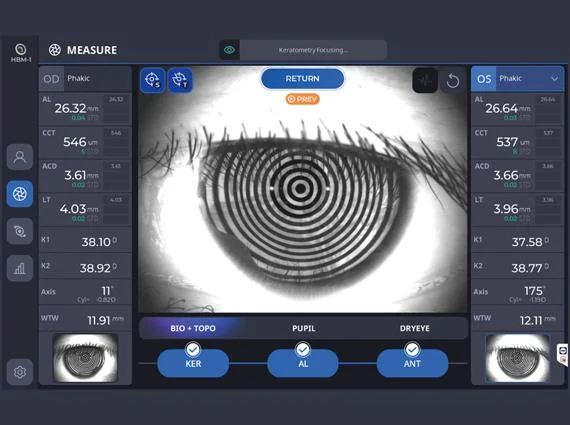
Manufacturer illustration: the configuration shown may differ from the delivered configuration.
Biometry and topography in one assessment
HBM-1 brings together ten optical-biometry and corneal-topography parameters. Biometric views and corneal maps support preparation of the IOL calculation.
- Axial length, CCT, chamber depth and lens thickness.
- Topographic maps and corneal parameters in the assessment.
Process weak signals with DCM
Dense Cataract Mode enhances and recalculates weak optical signals during measurement.
- Dedicated dense-cataract mode.
- Review of biometric parameters in the interface.
Designed for a smoother workflow
Select an IOL calculation formula
The interface provides Barrett, Holladay, SRK/T, Hoffer Q and Haigis formula families, among others. The practitioner reviews the parameters and selects the formula.
- Barrett families including Universal II, Toric and True-K.
- Other documented formulas: Holladay, SRK/T, Hoffer Q and Haigis.
Acquire, then analyse the assessment
Automatic tracking and voice guidance support acquisition before the result views are reviewed.
- Voice guidance and automatic tracking.
- Biometry, topography and IOL-calculation reports.
Designed for daily practice
Explore the documented features and practical configuration of HBM-1.
Compare measurements across visits
History views allow review of axial-length change and correction comparisons. Reports organise biometry, topography and IOL calculation.
- Axial-length history.
- Data comparison before and after prescribing.
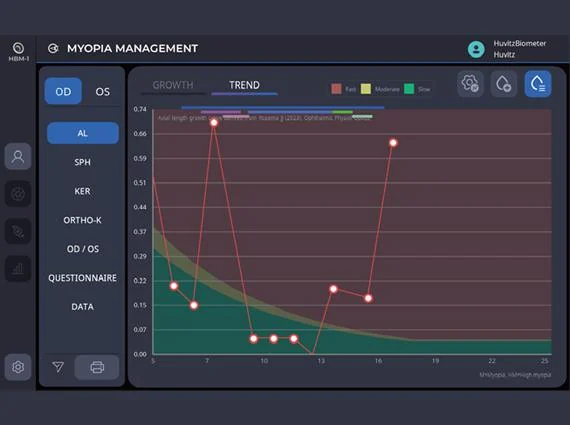
Manufacturer illustration: the configuration shown may differ from the delivered configuration.
Review the assessment on the practice network
Huvitz describes integration with the HIIS-1 image server for examination review.
Depending on configuration
- Exchange between devices connected to the network.
- Network and software configuration defined for the installation.
More product details
Medical and technical features
1. Precise biometric measurements: The HBM-1 provides detailed analysis of axial length, anterior chamber depth and central corneal thickness, with high repeatability. These data support intraocular lens (IOL) calculations. 2. Dense Cataract Mode (DCM): This technology recalculates weak light signals to obtain reliable measurements in patients with dense cataracts. 3. Proactive myopia management: Monitoring changes in axial length and refractive parameters supports assessment of myopia progression and modern myopia treatments. 4. Intuitive user interface: A high-resolution touchscreen and voice guidance simplify navigation and help medical staff learn to use the instrument quickly. 5. Connectivity and integration: EMR integration and clinical data connectivity facilitate transitions between diagnosis and intervention.
Key technical specifications
Axial length: measurement range 14 to 40 mm, repeatability ±0.025 mm. Anterior chamber depth: 1.5 to 6.5 mm, repeatability ±0.04 mm. Central corneal thickness: 0.25 to 1.3 mm, repeatability ±0.02 mm. Corneal curvature radius: 5 to 13 mm, repeatability ±0.03 mm. Corneal refractive power: 25.96 D to 67.50 D. White-to-white distance: 7 to 14 mm, repeatability ±0.05 mm. Pupil diameter: 0.5 to 10 mm, repeatability ±0.05 mm. These specifications support precise, reliable measurements for surgical planning and eye care management.
Main features
Integrated biometry and topography: simultaneously measures ten clinical parameters to improve efficiency and precision in cataract surgery planning. Dense Cataract Mode (DCM): enhances and recalculates weak light signals for reliable data in patients with dense cataracts. Myopia management: monitors changes in axial length and refraction to compare findings before and after prescribing. User-friendly interface: connectivity, voice guidance and automatic tracking support the practitioner's experience.
Functions
Intraocular lens (IOL) calculator: IOL calculator, IOL editor. Keratoconus: KPI. Contact lens fitting: fluorescein simulation. Zernike analysis. Myopia management. Cataract and myopia management. Intraocular lens (IOL) calculator: IOL calculator, IOL editor. Keratoconus: KPI. Contact lens fitting: fluorescein simulation. Zernike analysis. Myopia management. Integrated biometry and topography: simultaneously measures ten clinical parameters to improve efficiency and precision in cataract surgery planning. Dense Cataract Mode (DCM): enhances and recalculates weak light signals for reliable data even in patients with cataracts.
Technical information
Technical specifications & documentation
Product information, specifications and available documentation in one place.
Product specifications overview
Key documented information for this exact model.
- Brand
- Huvitz
- Model
- HBM-1
- Technology
- Optical biometer
- Clinical use
- Diagnostics and biometry
Technical specifications
- Minimum axial length
- 14 mm
- Maximum axial length
- 40 mm
- Topography
- Placido: 24 rings; coverage up to 9.8 mm
- Software
- IOL calculation; Zernike analysis; contact lens simulation
- Adjustment ranges
- Longitudinal 45 mm; lateral 100 mm; vertical 30 mm
- Power supply
- 100–240 V AC ; 50–60 Hz
- Dimensions
- 302 × 506 × 510 mm
- Weight
- 22 kg
Downloads & resources
Available product sheets and public manufacturer resources.
No public manufacturer document has been verified for this model. Contact ASEM for the available documentation.
Sources and documentation
- https://www.huvitz.com/theme/huvitz_en/img/landing/HBM-1_eng_brochure.pdfVerified on 2026-10-05
- https://huvitz.com/product/hbm-1/Verified on 2026-08-30
- https://huvitz.com/en/product/hbm-1/Verified on 2026-08-30
- https://huvitz.com/product/hbm-1/Verified on 2026-10-18
- https://www.huvitz.com/theme/huvitz_en/img/landing/HBM-1_eng_brochure.pdfVerified on 2026-10-18
Frequently asked questions
Your questions about HBM-1
Clear answers based on the available product information.

What is the documented Minimum axial length of HBM-1?
14 mm
View sourceWhat is the documented Maximum axial length of HBM-1?
40 mm
View sourceWhat is Dense Cataract Mode for?
The manufacturer describes enhanced processing of weak signals in dense cataracts. This mode supports acquisition; measurement quality still needs review before calculation.
View sourceWhat does DCM do?
It processes and recalculates weak optical signals for dense-cataract measurements. The practitioner reviews the acquired data before using them for IOL calculation.
View sourceWhich data can be followed across visits?
The documented history views show axial length and prescription comparisons. They allow successive measurements to be reviewed.
View sourceASEM support
More than a device, a long-term partnership
Discuss your project with ASEM: equipment selection, installation, training and technical support.
Installation
Discuss the installation requirements and configuration with our technical team.
Learn more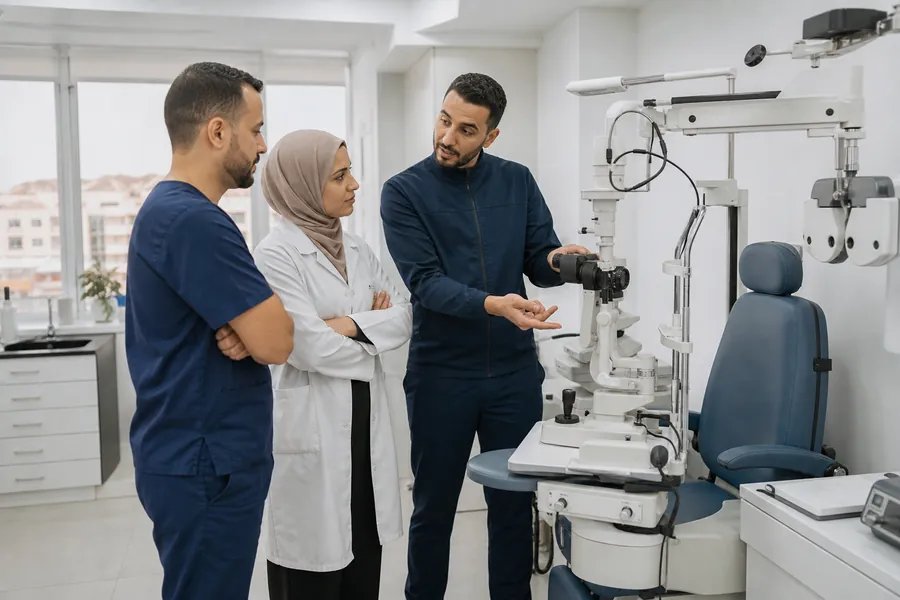

After-sales service
Contact ASEM for technical assistance and the support appropriate to your equipment.
Learn more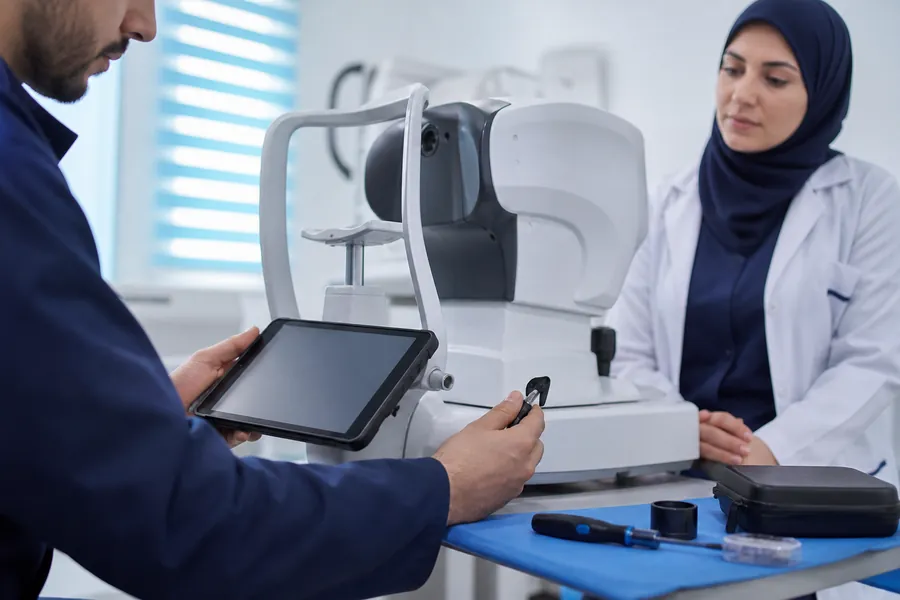

Related products
Explore equipment with related technologies and clinical uses.
Clinical applications
Explore the ASEM clinical catalogue
Browse related areas of the ASEM catalogue. These links do not extend the indications of this device.
Explore all products